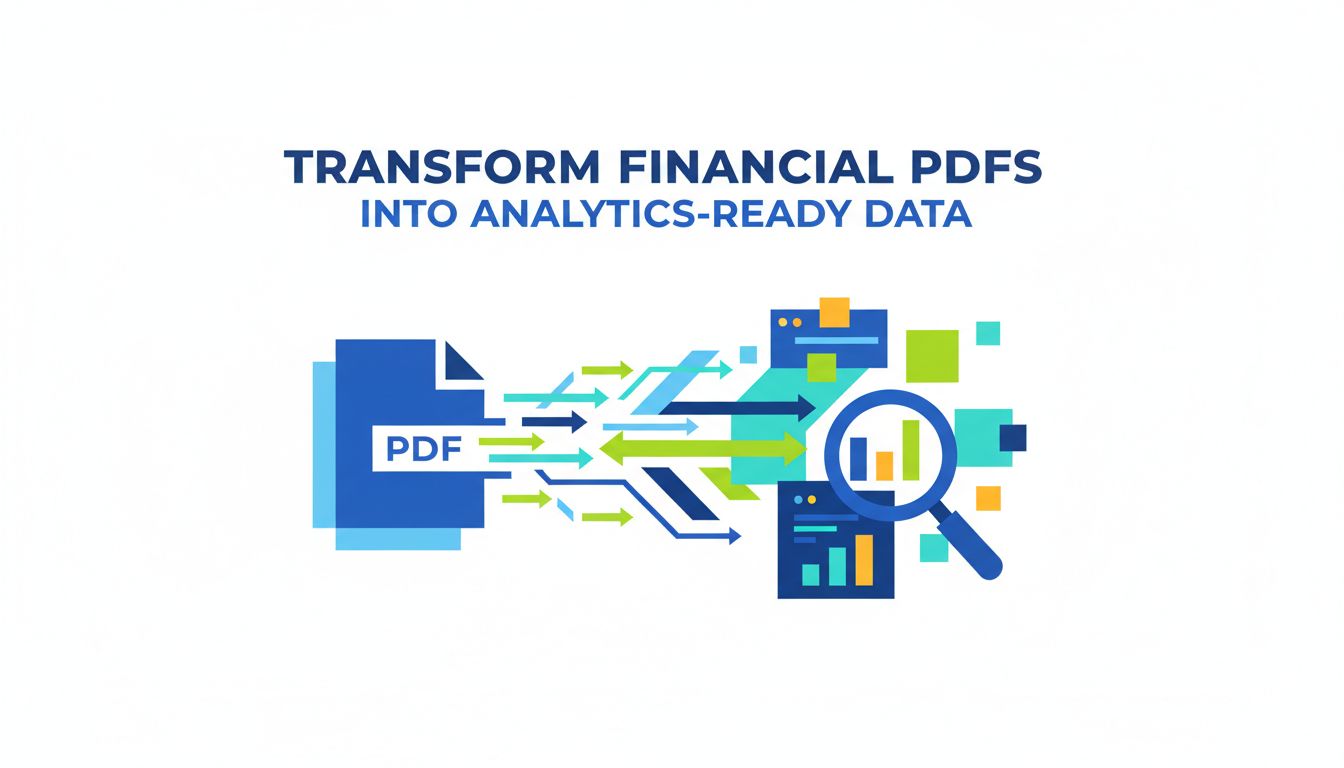
Transform Financial PDFs into Analytics‑Ready Data
You do not actually care about PDFs.
You care that month‑end closes on time, cash is where it should be, and your reports survive audit. The problem is that a huge chunk of the data you need to do that still lives in financial PDFs that refuse to behave.
Invoices, bank statements, card statements, broker reports, covenant reports. All technically “digital,” yet functionally closer to scanned paper.
If you want to transform financial PDFs into analytics data, this is not a tooling question. It is an operations strategy question.
Let’s treat it that way.
Why transforming financial PDFs actually matters now
You could get away with manual work for a long time. The friction was annoying, but survivable.
That is changing for three reasons:
- Volumes are growing, even if headcount is not.
- Reporting expectations are getting more granular and more frequent.
- The rest of your data stack got faster, so PDFs now feel like a traffic jam.
From documents to decisions: what changes when data is structured
Think about one vendor invoice.
As a PDF, it is a “thing to process.” As structured data, it becomes:
- A set of line items for spend analytics.
- A supplier entity for risk and exposure analysis.
- A payment schedule for cash forecasting.
- A GL mapping for margin and cost reporting.
Once you extract the right fields consistently, you stop treating documents as one‑off tasks and start using them as inputs to decisions.
Here is what typically unlocks once financial PDFs become analytics ready:
- You can reconcile bank statements daily, not weekly.
- You can see spend by category, by entity, by region, without someone wrestling with VLOOKUPs at 10 p.m.
- You can run variance analysis on actuals vs budget without chasing missing invoices from three different inboxes.
- You can trace any reported number back to its original document when an auditor or CFO asks “Where did this come from?”
[!NOTE] The real value is not faster keying. It is consistent structure. Once the data is predictable, all your downstream tools, from ERP to BI, suddenly become more useful.
The risk of waiting: errors, delays, and missed insights
Automation for financial PDFs is not just a “nice to have.” There is a real opportunity cost to waiting.
Delays first. If it takes 3 to 5 days for invoices and statements to become usable data, your reporting is always backward looking. That shifts your finance team into historian mode instead of navigator mode.
Errors next. Manual entry is not just slow. It produces quiet distortions. A single wrong decimal in a bank statement feed can propagate into cash forecasts, borrowing decisions, and covenant monitoring.
Finally, missed insights. If the data is painful to extract, you will not ask ambitious questions. You will stop at “Is it booked?” instead of “What is this telling us about our unit economics, vendor risk, or pricing power?”
Waiting keeps automation technically optional but practically expensive.
The hidden cost of manual PDF handling in finance workflows
You probably already know manual processes are inefficient. What most teams underestimate is where the cost shows up.
It is rarely just in the obvious “time spent typing.”
Where time and money really leak in invoice and statement processing
Take a simple monthly flow.
Invoices arrive in a shared inbox. Someone downloads them, renames them, logs them in a tracker, keys them into the ERP, and files them away. Then someone else matches them against POs, approvals, or contracts.
Notice where time actually leaks:
- Searching for the “right” version of an invoice when the vendor resent it three times.
- Decoding vendor specific layouts. “Is tax hidden in this subtotal? Where is the currency?”
- Correcting coding choices that are technically valid but operationally useless for analytics.
- Re‑doing work when an approval chain changes or an exception is discovered late.
For bank or card statements, the waste hides in:
- Downloading statements from multiple banking portals.
- Copy‑pasting transaction lines into spreadsheets.
- Manually enriching entries with counterparty names, cost centers, or project codes.
- Reconciling discrepancies that only exist because an earlier step was rushed.
None of these tasks are glamorous. All of them are costly once you multiply by volume and salary of the people doing them.
Error chains: how one typo can distort reports and audits
Manual handling is not just about speed. It is about error chains.
Imagine one typo on an invoice:
- A vendor name is mistyped.
- That vendor gets treated as “new” in your analytics.
- Spend appears fragmented across multiple “suppliers.”
- Procurement cannot see total volume, so they negotiate worse terms.
- Risk cannot see true exposure to that counterparty.
Or think about bank statements:
- One large receipt is assigned to the wrong customer.
- AR aging reports are off.
- Collections team chases a fully paid customer.
- Revenue analytics show a dip that triggers overreaction on pricing or discounting.
Auditors are trained to sniff out these chains. They look for pattern mismatches, odd spikes, orphaned entries. The more manual touchpoints you have between source PDF and booked transaction, the more fragile your audit trail.
Transforming PDFs into analytics ready data is, at heart, an error containment strategy.
What are your real options for turning PDFs into analytics data?
If you are considering automation, you typically see four categories on the table:
- Manual entry, often in lower cost locations.
- Basic OCR, sometimes bundled into scanners or generic tools.
- RPA scripts that mimic a human clicking and typing.
- AI‑based extraction platforms like PDF Vector.
They are not equal. They are trade‑offs.
Manual entry, basic OCR, RPA, and AI extraction: a side‑by‑side look
Here is a simplified comparison.
| Approach | Strengths | Weaknesses | When it fits |
|---|---|---|---|
| Manual entry | Flexible, no setup, understands context | Slow, expensive at scale, error prone, no real audit trail | Very low volumes, highly irregular docs |
| Basic OCR | Cheap, quick to start | Only gets raw text, poor on tables, needs heavy manual cleanup | Simple forms, non critical data |
| RPA | Good for stable portals and repeatable flows | Brittle when layouts change, still needs structured data source | Stable systems, low document variability |
| AI extraction | Learns layouts, handles variation, structured | Needs configuration and governance, vendor quality varies | Growing volumes, multi vendor docs, analytics and audit needs |
Manual entry buys you flexibility at the price of speed and control. Basic OCR buys speed on text, but still leaves you with a lot of manual structuring.
RPA often gets miscast as a silver bullet. If the underlying PDF is unstructured, your robot is still reading a messy document. It just does the clicking faster.
AI extraction platforms, including PDF Vector, focus specifically on turning messy PDFs into clean, labeled fields and line items that downstream systems can trust.
Build vs buy: key trade‑offs for finance and ops leaders
Once you are convinced you need something better, the next fork is obvious:
Do you build your own extraction stack, or do you buy from a specialist?
Here is how the trade‑offs usually line up.
| Factor | Build yourself | Buy (e.g., PDF Vector) |
|---|---|---|
| Upfront effort | High, hiring and engineering time | Lower, configuration and integration |
| Flexibility | Maximum, you own every decision | High, within vendor’s product capabilities |
| Maintenance | Your problem, including layout and vendor drift | Vendor’s problem, shared across all clients |
| Time to value | Long, months to first reliable output | Short, often weeks to pilot and iterate |
| Cost profile | High fixed cost, lower variable per doc | Lower fixed, predictable per document or per API pricing |
Build makes sense if you are a software business at heart, with engineers to spare and PDF extraction as a core strategic competence.
Most finance and operations leaders are not trying to become document AI companies. They want reliable, explainable automation with strong governance.
That is where buying from a vendor like PDF Vector is usually more pragmatic. You are effectively outsourcing the constant battle against new layouts, scanning quirks, and edge cases, and focusing your energy on process and controls.
Framework: accuracy, coverage, latency, and control as decision criteria
To avoid getting lost in feature checklists, assess your options against four simple criteria.
Accuracy How often does the system get the right value in the right field, without human correction? Look at line item accuracy, not just header fields. Ask for metrics, then test with your own data.
Coverage How many of your real world document types can it handle reliably? Invoices are the baseline. Bank statements, card statements, remittance advice, and specialized reports are where weak tools fall apart.
Latency How fast does it process in practice, including validation and any human review? If it takes hours to process a small batch, you are not getting much closer to real time finance.
Control How well can you define rules, see what the system did, and prove it later? Transparent field mappings, versioning of rules, and clear audit logs matter a lot once auditors ask uncomfortable questions.
[!TIP] When vendors pitch “99 percent accuracy,” always ask “On what data, with what definitions, and at what volume?” Then run a small pilot with your own worst documents. That tells you more than any demo.
How to design an extraction pipeline that finance teams trust
Technology gets you halfway. The other half is process design that your finance team believes in.
They need to trust that:
- Required data is captured.
- Exceptions are surfaced, not buried.
- Every number is traceable back to its document.
Defining data requirements: line items, entities, and audit trails
Start with a simple question:
“If we could magically snap our fingers and have perfect PDF extraction, what data would we want?”
Break that into three buckets:
Header and entity fields Supplier names, customer names, addresses, IBANs, account numbers, invoice numbers, currencies, tax IDs. This is what ties documents to your master data.
Line items and amounts Descriptions, quantities, unit prices, taxes, discounts, GL codes, cost centers, projects. This is what powers analytics: margin by SKU, spend by category, variance by project.
Audit trail elements Document source, ingestion timestamp, extraction model version, validation decisions, human changes. This is what gives auditors and controllers confidence.
When you define requirements this way, tools like PDF Vector can be configured very explicitly. You are not “extracting everything,” you are extracting what drives your processes and reports.
Setting validation rules, exception handling, and human review
Trusted automation respects your risk appetite.
Not every document needs the same level of scrutiny. Set tiered validation rules.
Examples:
- Invoices over a certain amount require human review if tax or totals do not reconcile.
- Bank statement transactions over a threshold get flagged if counterparty names do not match known entities.
- Any document where the extraction confidence score for key fields drops below a set level goes to an exception queue.
An effective extraction pipeline usually has three layers:
Automatic checks Totals vs line item sums, date formats, currency consistency, duplicate detection.
Business rules Vendor must exist in the master list. PO must be open and sufficient. GL code must belong to this entity.
Targeted human review Not “review everything.” Only review what violates rules or falls below confidence thresholds.
PDF Vector and similar tools make this practical because they expose both extracted fields and confidence scores. You can then plug this into your workflow tools to route exceptions to the right people.
Integrating with ERP, reconciliation, and analytics tools
Extraction is only useful if it fits into your existing systems.
Design the pipeline backwards from your endpoints:
- ERP or accounting system for booking invoices, payments, and journals.
- Reconciliation tools for bank, card, and ledger matches.
- Analytics and BI for reporting and dashboards.
For each endpoint, define:
- Required input format. Flat file, API, direct connector.
- Frequency. Real time, hourly, daily batch.
- Enrichment. What additional fields or codes do you need before data lands there.
Then structure your extraction output to meet those needs exactly.
A typical architecture looks like this:
PDFs in shared inbox or S3 bucket → PDF Vector extracts structured fields and line items → Validation and business rules applied → Cleaned records pushed to ERP and reconciliation engine → Analytics tools (like Power BI, Tableau, Looker) read from the same structured store.
[!IMPORTANT] Use one canonical dataset for both booking and analytics. If you extract one version for the ERP and a different version for BI, you are inviting reconciliation headaches between your own systems.
What to measure so your PDF automation keeps improving
If you cannot measure it, you cannot improve it. And PDF automation is no exception.
You do not need 30 KPIs. You need a small set that tells you whether the system is getting faster, more accurate, and less dependent on humans.
KPIs that matter: touch time, straight‑through rate, and accuracy
Three metrics are usually enough to start.
Average touch time per document How many minutes of human effort does each invoice or statement still require? Track this before and after automation. The direction matters more than the absolute number.
Straight‑through processing (STP) rate What percentage of documents go from ingestion to booked and reconciled without human intervention? Segment this by document type and by vendor or bank. You want to see where the system struggles.
Field‑level accuracy Not just “did we book the invoice.” Measure how often key fields are correct out of the box. Vendor, date, amount, tax, currency, account numbers. These are the ones that hurt when wrong.
Once you have those, you can layer on more nuanced metrics like:
- Exception rate by rule category.
- Time to resolve exceptions.
- Rework rate (documents that needed multiple touches).
PDF Vector can surface many of these metrics natively, which makes continuous improvement less of a manual exercise and more of an operational habit.
Pilot first, then scale: a practical rollout checklist
Ambition is good. Boiling the ocean is not.
A focused pilot helps you learn cheaply and build internal credibility.
Here is a practical rollout path many teams follow:
Pick a narrow, high impact slice For example, invoices from your top 10 vendors, or bank statements for one major account. Enough volume to matter, but not so much that failure is scary.
Define “success” up front For this slice, what STP rate, accuracy, and touch time reduction would count as a win? Put numbers on it.
Run in parallel Keep your existing process in place while the new extraction pipeline runs side by side. Compare results, find gaps, tune rules.
Socialize the wins and the issues Share early metrics with finance, ops, and IT. Call out both improvements and edge cases. This builds trust that you are not sweeping problems under the rug.
Expand scope in deliberate steps Add new vendors, new banks, new countries, new document types. Each expansion gets the same treatment: defined success, monitored metrics, process refinement.
This is where a vendor partner matters. A team like PDF Vector has seen dozens of these rollouts. You are not just buying a tool, you are tapping into patterns that already work.
Where to go from here
If financial PDFs feel like a bottleneck, you are not imagining it. They are the slowest, noisiest bridge between real world transactions and the analytics your business expects.
Transforming financial PDFs into analytics‑ready data is not just about scanning smarter. It is about:
- Reducing hidden manual costs.
- Breaking error chains before they hit your reports.
- Giving finance teams trustworthy, structured data they can actually use.
The next natural step is simple:
Pick a single workflow, such as vendor invoices or bank statements, and map how a document moves today from inbox to booked to reported. Then ask which parts would change if extraction was accurate, reliable, and automated.
If you want a practical benchmark of what “good” looks like, talk to a specialist like PDF Vector. Bring your ugliest PDFs, define the metrics that matter, and see how close you can get in a short pilot.
Your PDFs are not going away. They can either stay as friction, or become one of the cleanest data sources in your stack.