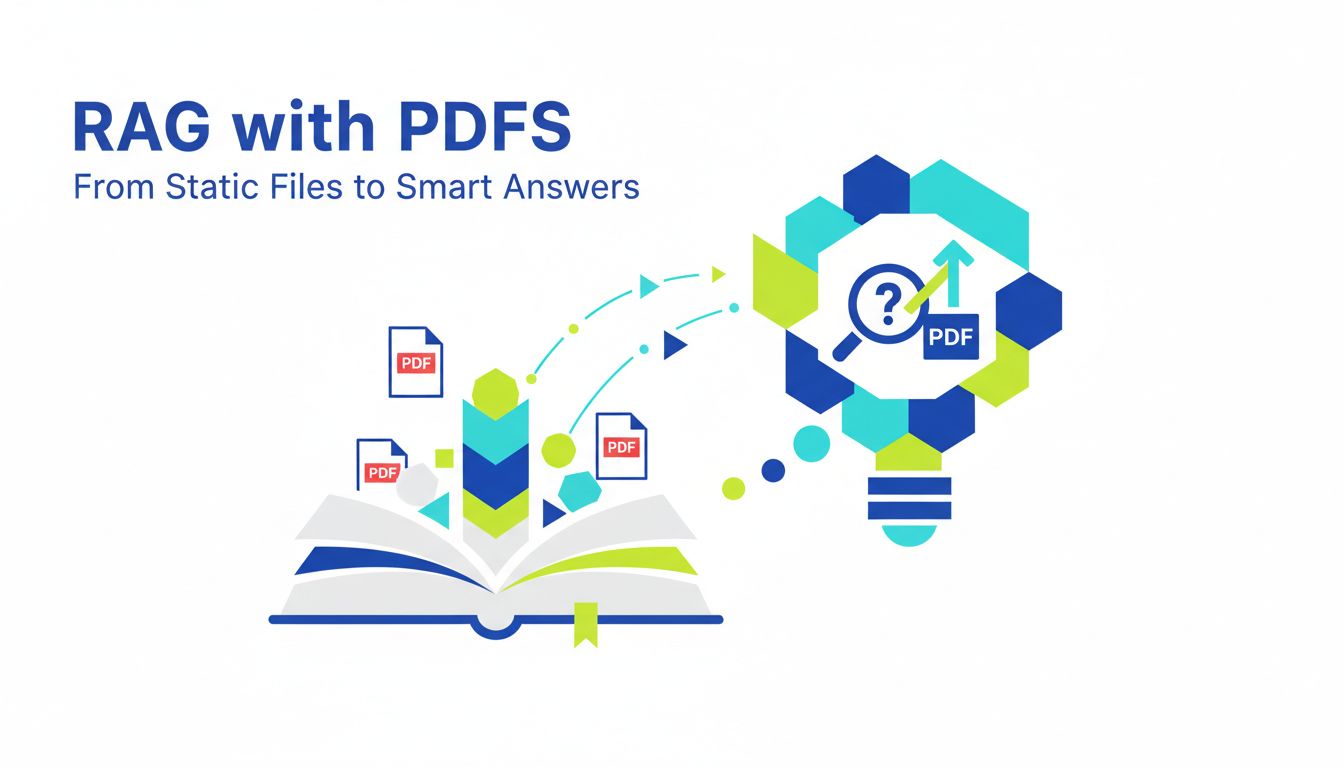
RAG with PDFs: From Static Files to Smart Answers
You probably have a goldmine sitting in your company right now.
Not user events. Not CRM data.
Static PDFs.
Policies, manuals, research decks, contracts, RFPs, technical docs, scientific papers, customer proposals. All the stuff your users and teammates need to understand, not just store.
And right now, if you are honest, your UX for getting answers from those PDFs is: type a keyword, skim a list, open a file, start scrolling.
RAG with PDFs is how you turn that mess into smart, grounded answers.
Not magic. Not a silver bullet. But the difference between “we have documents” and “we have a product people trust with real work.”
Let’s unpack what that actually means in practice.
Why PDFs are a goldmine your AI app can’t ignore
The real business value locked in static documents
There is a reason PDFs refuse to die.
They are the format of record. When a company is serious about something, it ships as a PDF.
That also means the most valuable knowledge is frozen inside them. Stuff like:
- “What exactly did we commit to in that enterprise contract?”
- “What is the approved process for onboarding a new vendor?”
- “What did the research team actually conclude in that 80 page study?”
If you are building AI features for:
- internal knowledge search
- customer support on top of docs
- research assistants for technical teams
- compliance or policy copilots
then your app will live or die on how well it handles PDFs.
This is not about “document search” as a checkbox. It is about taking unstructured but authoritative content and turning it into answers people can trust.
[!NOTE] Whoever controls the interface to institutional knowledge controls a scary amount of product value. PDFs are where that knowledge lives.
Why search UX is now a product differentiator
Two apps can use the same LLM and the same embedding model and still feel completely different.
The one that wins usually does two things better:
- Finds the right snippets from the right documents.
- Presents answers in a way that feels confident but verifiable.
PDFs raise the stakes on both.
When your app answers a question about a marketing blog post, a fuzzy answer is annoying. When it answers a question about a legal clause, a fuzzy answer is a liability.
So search UX suddenly matters. Not just “do we return something” but:
- Does the answer cite a specific PDF and section?
- Can I jump there in one click?
- Are we surfacing the most relevant pages, not the first ones the embedding model liked?
- Does the system gracefully admit “I do not know” when the PDF corpus is silent?
That is where RAG with PDFs becomes less of a technical project and more of a product strategy.
What RAG with PDFs actually solves (and what it doesn’t)
Hallucinations, context limits, and keeping answers grounded
LLMs hallucinate. Not because they are buggy, but because they are trained to be fluent, not truthful.
Retrieval augmented generation (RAG) is the simple idea that you:
- Retrieve relevant chunks from your documents.
- Feed them to the LLM as context.
- Ask the LLM to answer only using that context.
For PDFs, this does three valuable things:
- Reduces hallucinations. The model has the original text right in front of it. If you prompt well, it sticks closer to the source.
- Extends context. You do not need to fit your whole corpus into the model. You only send the relevant chunks.
- Keeps answers auditable. You can store page numbers, section titles, and URLs, then show citations in the UI.
But RAG is not a truth serum.
It will not:
- Detect that your PDF is out of date.
- Understand that two PDFs contradict each other.
- Magically infer the “intent” behind a policy that is ambiguously written.
You are still dealing with a pattern generator. RAG just gives it a narrower playground.
[!TIP] Treat RAG as “context control for LLMs,” not as a guarantee of correctness. Then you will design better safeguards.
When RAG beats fine-tuning, and when it doesn’t matter
A lot of teams get stuck on this: “Should we fine tune or do RAG?”
For PDFs, 90 percent of the time, RAG beats fine tuning on cost, speed, and control.
Fine tuning is great when:
- You want the model to mimic a writing style.
- You need domain specific reasoning or structure.
- You have structured examples: “Given X, always produce Y format.”
RAG shines when:
- The key information already exists in documents.
- That information changes over time.
- You care more about recall of facts than style.
Here is a simple comparison.
| Scenario | RAG with PDFs | Fine tuning |
|---|---|---|
| “What does our 2024 leave policy say?” | Perfect fit. Policy lives in PDFs. | Bad fit. Policy changes often. |
| “Write emails in our brand voice.” | Might help with examples. | Great fit. Style is stable. |
| “Summarize latest research papers weekly.” | Perfect fit. Docs are dynamic. | Bad fit. Papers change constantly. |
| “Classify support tickets into categories.” | Overkill unless docs matter. | Good fit with labeled data. |
The punchline.
If your core value prop is “ask questions about your documents,” you almost certainly want RAG first, fine tuning optional.
You can always fine tune later on top of a working RAG pipeline, for style and response structure.
The hidden cost of doing PDF Q&A the naive way
Why “just chunk it and embed it” breaks in production
Here is the default first attempt at RAG with PDFs:
- Extract text from PDF.
- Split into chunks of N tokens.
- Embed each chunk.
- At query time, embed question, do vector search, feed top K chunks to the LLM.
This is fine for a demo.
Then you add:
- Larger PDFs.
- Mixed content, like tables, footnotes, multi column layouts.
- Multiple teams or tenants.
- Real users who ask messy questions.
Suddenly it cracks.
Why?
Because PDFs have structure that naive chunking ignores.
- Section titles.
- Page breaks.
- Tables that span multiple rows or pages.
- Footnotes that matter legally but are detached from the main text.
If you slice by fixed token window, you end up with:
- A chunk that starts halfway through a sentence and ends halfway through a table.
- A question about “Section 7.3 indemnity” retrieving random text from Section 6 because of shared vocabulary.
- A system that feels smart in the lab and unreliable in front of a customer.
This is where tools like PDF Vector try to help. They focus on preserving layout and structure, not just raw text, so your chunks map more closely to human readable sections.
Common failure modes: latency, bad chunks, and brittle pipelines
Once PDFs move from “folder of 10 files” to “corpus of tens of thousands,” the problems multiply.
You start fighting three things.
1. Latency
- Huge PDFs mean lots of chunks.
- Lots of chunks mean large vector indexes.
- Large indexes mean slower queries, especially if you do re-ranking or multiple retrieval steps.
Your sub 1 second demo becomes a 4 second spinner in production. Users blame “AI” but really it is your retrieval design.
2. Bad chunks
Models are quite forgiving in how they use context, but not infinitely.
If your chunks:
- Chop headings from their content.
- Mix unrelated sections.
- Split tables or code blocks across chunks.
then the LLM either:
- Answers with partial context and hedging, or
- Latches onto the wrong snippet that “sounds” relevant.
The result feels like hallucination, but it is actually retrieval failure.
3. Brittle pipelines
Scrappy prototypes often hardcode steps like:
- “Run this Python script with pdfplumber, then feed output to our embedding job, then push to our one-off vector DB script.”
It works until:
- Someone changes the PDF template.
- You add OCR for scanned documents.
- Compliance requires data isolation per tenant.
- You need to re-embed everything with a new model.
Suddenly your data pipeline is a fragile graph of cron jobs and bash scripts.
This is where investing in a proper ingestion pipeline and using infrastructure built for PDF to vector, like PDF Vector, saves you from spending your engineering time rebuilding plumbing instead of product.
How to design a sane RAG pipeline for PDFs
Getting from raw PDFs to usable text and structure
The biggest mistake with PDFs is treating extraction as a one line step.
text = extract(pdf)
In reality, you want a document model, not just text.
Here is a solid baseline flow:
- Detect PDF type. Digital text vs scanned vs hybrid.
- Extract content with layout. Use a parser that understands pages, blocks, headings, tables, and reading order.
- Normalize structure. Represent the document as sections, paragraphs, tables, lists, maybe even figures.
- Attach metadata. Filename, document type, page numbers, dates, author, version, tenant, permissions.
This is where a specialized pipeline or service earns its keep.
You are not just grabbing text. You are saying:
“This paragraph is in Section 3.2 Data Retention, on page 14, inside document SecurityPolicy_v3.pdf, which belongs to Org A.”
Metadata is the difference between:
- “Here are 5 chunks that mention ‘data retention’.”
- “Here is the exact clause on data retention, with a link into the PDF and the document version.”
[!IMPORTANT] A lot of “RAG quality problems” are actually “we threw away structure and metadata” problems.
Chunking, metadata, and retrieval that respect document context
Once you have structured content, you can design chunks that match how humans read.
A reasonable strategy is:
- Chunk by logical sections first. e.g. section heading plus its paragraphs.
- For very long sections, slide a smaller window within that section.
- Keep tables and code blocks as intact units where possible.
Each chunk should carry:
- Document id and title.
- Section heading.
- Page range.
- Document type (policy, contract, research, etc).
- Tenant or user access info.
Then retrieval gets smarter.
Instead of pure vector search, you can blend:
- Keyword filters. e.g. only search in “Contracts” for legal questions.
- Metadata filters. e.g. only documents for that customer or that version.
- Hybrid search. Combine keyword and vector search to improve recall.
A typical query flow might be:
- Use a classifier to guess document type or domain.
- Apply metadata filters based on user and query.
- Run vector search on filtered set.
- Optionally rerank top candidates using cross encoder or LLM.
- Group chunks by document and section so that the LLM sees coherent context.
You can build this yourself, or use something like PDF Vector to get better defaults for chunking and metadata without reinventing the wheel.
Evaluating answer quality before you scale
Most teams ship RAG features based on “it feels good” from a few manual tests.
That blows up the moment customers ask the weird edge case question.
You want systematic evaluation before you scale.
A lightweight evaluation loop can look like this:
- Collect a set of realistic questions from stakeholders or early users.
- For each question, record the “gold” answer span in the underlying PDF.
- Run your pipeline and store: retrieved chunks, final answer, and citations.
- Score on:
- Did we retrieve the gold span?
- Did the answer match the gold answer semantically?
- Were citations correct and useful?
You can use an LLM as a judge for semantic similarity, or do manual reviews for high value use cases like legal or compliance.
The key is to test things like:
- Long, multi part questions.
- Vague questions that should trigger “I do not know.”
- Queries that are very similar but have different answers per document or tenant.
RAG is not just “it worked on my laptop.” It is “it works for messy, real questions, at scale, and we can measure that.”
Where this goes next: beyond basic PDF RAG
Multi-document reasoning, citations, and agents
Basic RAG with PDFs is: “Ask a question about one document. Get an answer with references.”
The interesting stuff starts when:
- The answer spans multiple PDFs.
- You need reasoning, not just lookup.
- The system has to decide “what to read” on its own.
Examples:
- “Compare the indemnification clauses across our top 5 vendor contracts.”
- “Summarize the differences between v2 and v3 of our security policy.”
- “Given the research in these 10 papers, what are the common limitations?”
This is where you move from single shot RAG to multi step retrieval and reasoning.
Patterns you will see:
- Retrieve per document first, summarize, then aggregate summaries.
- Use intermediate questions: “What are the indemnity clauses?” per PDF, then compare.
- Keep a scratchpad in the prompt so the LLM can track which document said what.
Citations become even more important.
You want answers like:
“Vendor A limits liability to 12 months of fees, see Contract_A.pdf, Section 9.2, page 14. Vendor B has no explicit cap, see Contract_B.pdf, Section 8.1, page 11.”
That level of grounding turns your app from “cool AI demo” into “tool a legal team can actually use.”
Turning your RAG stack into a product moat
Here is the non-obvious upside.
If you build a strong RAG pipeline for PDFs today, you are not just building a feature. You are building infrastructure that compounds.
Competitors can:
- Use the same LLM.
- Call the same embedding API.
- Spin up the same vector database.
They cannot easily copy:
- Your cleaned and structured document corpus.
- Your domain tailored chunking and retrieval strategies.
- Your evaluation data, guardrails, and UX patterns around citations and corrections.
- Your integration with internal systems of record.
Every new document, every new edge case, every new evaluation run makes your stack harder to clone.
This is where a platform like PDF Vector can function as your “PDF engine room.” You get:
- Extraction that respects structure.
- Sensible defaults for chunking and metadata.
- A clean vector representation of your PDFs that you can plug into your custom RAG logic.
You still own the product UX, the workflows, the domain specific logic. You just do not burn cycles on rebuilding PDF plumbing for the fifth time.
The real moat is not “we have RAG.” It is “our RAG with PDFs has been battle tested on our documents, our users, and our edge cases for months or years.”
If you are at the “we should probably make our PDFs searchable with AI” stage, a good next step is simple.
Pick a narrow but valuable slice.
Maybe it is HR policies for internal teams. Or contracts for the sales org. Or a subset of research PDFs for one customer segment.
Design a small, sane RAG with PDFs pipeline for that slice. Parse the PDFs properly. Respect structure. Add metadata. Evaluate results.
If you find yourself reinventing low level PDF parsing and vectorization, that is a sign to bring in infrastructure like PDF Vector so you can focus on the part that actually differentiates your product.
Your users do not care that you used RAG. They care that when they ask a hard question about a tricky PDF, your app gives them an answer they trust.