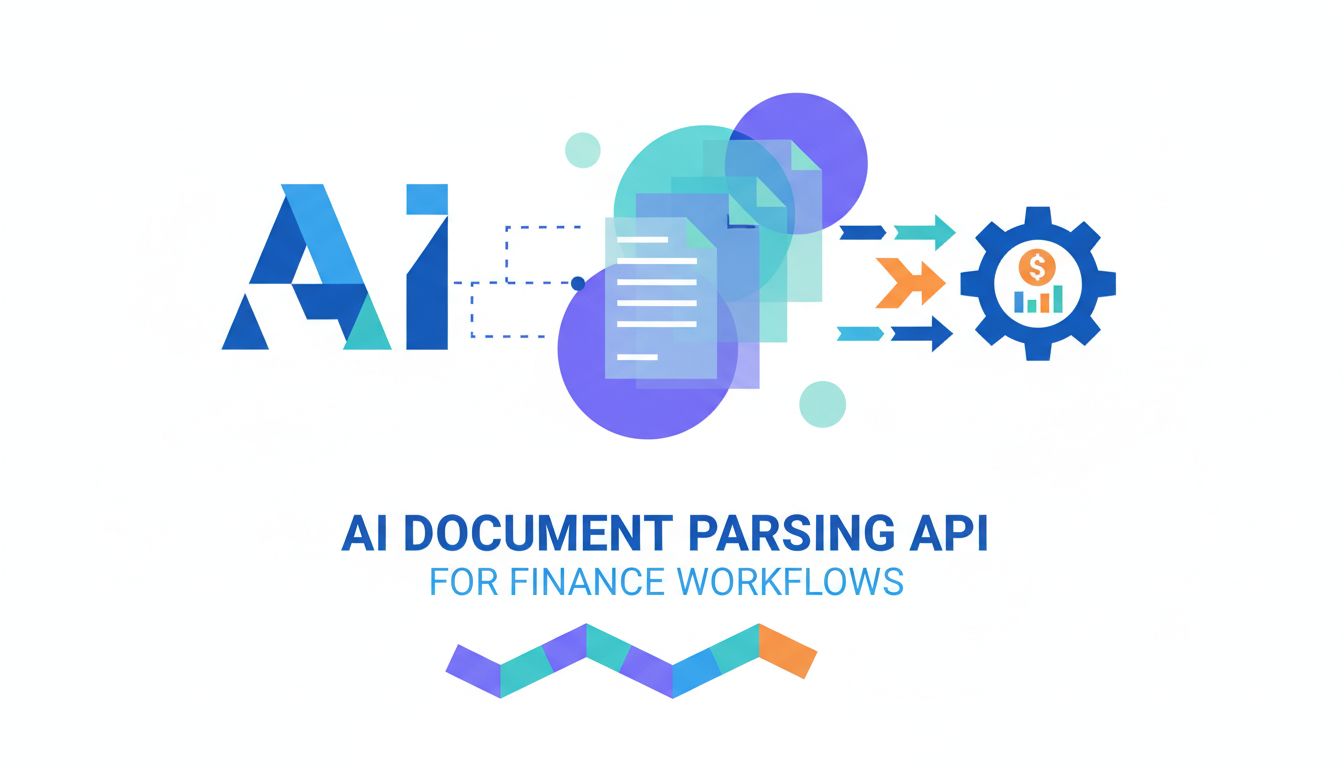
AI document parsing API for finance workflows
Most finance teams have modern cloud ERPs, automated payment runs, and dashboards that refresh in real time. Yet the work still grinds to a halt when it hits PDFs, scans, and email attachments. An AI document parsing API is emerging as a practical way to close that gap, quietly turning messy invoices, bank statements, and reports into reliable data that flows into your existing systems.
The real breakthrough is not that AI can read documents, but that it can deliver structured, auditable data into your finance stack without sacrificing control or compliance.
For finance, operations, and back office leaders, this is not abstract technology. It is about reducing manual keying, shrinking close timelines, and cutting exception queues down to size. It is also about staying sane when vendors change invoice layouts overnight, banks redesign their statements, or auditors ask you to trace a number back to a specific page in a PDF. To make sense of what AI document parsing can actually do, it helps to understand why documents remain so stubbornly manual, and how modern parsing tools differ from the OCR systems many teams tried a decade ago.
Why documents still slow down modern finance teams
Every transformation project eventually runs into the same obstacle: the world still runs on documents. Suppliers send invoices as PDFs by email. Banks deliver statements as downloadable files or scanned images. Customers provide remittance advice as multi-page attachments exported from their own systems. Each of these documents contains the data your processes need, but that data is locked in layouts, fonts, and tables instead of living as structured fields.
Even when your ERP, procurement system, and bank connectivity are well integrated, the last mile often depends on someone in accounts payable, treasury, or a shared service center who reads a document and types values into a screen. That reality means close timelines stretch, staff are pulled into low-value work, and automation rates top out far below what your technology stack should allow. The bottleneck is not your system of record, it is the unstructured nature of the documents feeding it.
The hidden cost of manual invoice and statement handling
The cost of manual document handling rarely shows up as a single line item, which is why it sticks around for so long. It is spread across headcount, overtime, error correction, and the opportunity cost of people who could be analyzing numbers instead of transcribing them. If a mid-sized AP team processes 10,000 invoices a month and spends just three minutes per invoice on opening, reviewing, keying, and basic validation, that is 500 hours of manual effort every month devoted to repeating the same simple actions.
Errors create further drag that is harder to quantify but painfully familiar. Mis-typed amounts lead to incorrect payments, which then trigger supplier disputes and rework. A missed negative sign in a bank statement can send reconciliation down a rabbit hole. A single misplaced decimal in a report can distort a KPI that executives rely on. These mistakes are understandable when teams are rushing at quarter-end, but they expose the limits of workflows that depend on human attention alone.
There is also a human toll. Skilled finance professionals did not train to copy invoice numbers from PDFs into ERP fields. When the workday fills up with this kind of activity, engagement falls and attrition rises. Teams respond by adding temporary staff or offshoring, which increases coordination overhead and makes controls harder to maintain. The root cause, however, remains the same: crucial data is trapped in documents that systems cannot read.
Why legacy OCR and templates keep breaking in the real world
Many organizations tried to tackle this problem in the past with legacy OCR and template-driven capture tools. On paper, these systems promised to grab invoice numbers and amounts without manual data entry. In practice, they delivered some benefit in narrow, controlled cases, but they struggled with the variety and messiness of real finance documents.
Template-based OCR assumes that information will always appear in the same position. It might work for a single supplier whose invoice layout never changes, or for a fixed bank statement format. The moment a vendor adds a logo, rearranges columns, or changes a font, the template fails. Someone in IT or operations then has to rebuild the template, test it, and roll it into production. Over time, teams accumulate hundreds of brittle templates that constantly lag behind what suppliers actually send.
These tools also treat documents as simple images, not as semantic objects. They see lines of text, but they do not understand that a table row represents a line item, or that a bolded total at the bottom of a page is more important than a subtotal halfway through. Multicolumn layouts, footnotes, multi-page tables, and scanned images add further complexity. The result is that legacy OCR might extract some characters correctly, but the structured data that finance systems need still requires manual review and frequent rework.
What an AI document parsing API actually does
An AI document parsing API approaches the problem from a different angle. Instead of asking you to define rigid templates, it uses machine learning models to interpret each document dynamically. You send the raw PDF or image to the API, and it returns structured fields such as invoice number, vendor name, line items, tax amounts, or bank transaction details, often with confidence scores and normalization applied.
From the perspective of your finance or operations team, the experience looks simple. A new invoice arrives in your shared mailbox, is automatically forwarded to the parsing API, and within seconds the relevant fields appear in your AP system ready for approval. Bank statements that used to be downloaded and keyed manually are fed into a script that calls the API and then matches transactions in your reconciliation tool. Long management reports become queryable data sources that can be pulled into analytics or reconciliations without anyone scrolling through dozens of pages.
Under the hood, the API is doing much more than reading text. It identifies layout structures such as headers, footers, tables, sidebars, and page numbers. It distinguishes between a logo and a line of text, and between a column header and a data cell. It links related information across pages, such as header fields that apply to all line items. The output is not just plain text, but a structured representation that looks much closer to a properly designed data model.
How this differs from simple OCR or RPA scripts
It helps to be clear about how this differs from older OCR or basic RPA approaches. OCR converts images to text. It is useful if your only goal is to be able to search a scanned PDF. It does not inherently know what a due date is, or which set of numbers on a page is the invoice total, or how line items relate to one another. Someone still has to add rules on top of the raw text to make it useful.
RPA scripts, on the other hand, automate keystrokes and mouse clicks. They can log into a portal, download a statement, and paste values into a spreadsheet. However, they are brittle when documents change. If the bank redesigns its online portal or the PDF layout shifts, the script breaks. RPA also tends to be procedural. It does exactly what it was programmed to do, and does not adapt when it encounters a new or slightly different format.
An AI document parsing API combines text recognition, layout understanding, and language models that have been trained on many different document types. This combination means the system can generalize from what it has seen before, rather than relying purely on fixed rules. An invoice whose supplier uses a different variant of the phrase "Invoice reference" can still be interpreted correctly. A bank statement where the balance column has moved will still be parsed, because the model understands that the column represents a running balance by its content, not just by its position.
Inside the black box: how parsing AI reads your docs
Modern parsing AI treats each document as a rich, visual and textual object. It starts by decomposing the file into elements: text blocks, lines, characters, images, and shapes. It then analyzes how those elements are arranged on the page. Headers tend to be larger and near the top. Tables have regular horizontal and vertical alignments. Footnotes and disclaimers cluster at the bottom. The model uses these cues to infer the structure of the document before it extracts any specific fields.
For tables, the AI has to work harder. Finance documents are full of line item tables that span multiple pages, include subtotals, and sometimes wrap long descriptions across lines. Parsing AI learns to recognize column headers, merge split cells, and link continuation pages back to the original header. It can tell when a row is a subtotal instead of a true line item, and can preserve currency codes, tax rates, and units of measure. This kind of table understanding is what makes it practical to automate complex invoices or bank statement exports that used to be considered too messy.
Multi-page scans introduce additional challenges, like skewed text, varying quality, and watermarks. Parsing models are trained to handle noise and low resolution, to straighten text lines where possible, and to ignore non-critical visual elements. They are also able to track entities across pages, making it possible to tie a vendor header on page one to line items on page five without losing context. For auditors, this kind of continuity is critical, because it allows you to trace extracted fields back to specific page coordinates and snippets.
Teaching the model your vendors, formats, and edge cases
Out-of-the-box accuracy is only part of the story. Each finance organization has its own ecosystem of vendors, banks, and report formats. To reach the level of reliability your processes need, the parsing system has to learn your specific patterns and edge cases. The good news is that you typically do not need a full data science team to make this happen. Modern platforms, including solutions like PDF Vector, provide interfaces for configuring fields, reviewing results, and feeding corrections back into the model.
In practice, this often looks like a feedback loop. You start with a handful of document types, such as your top 20 suppliers or your main bank statements. The AI parses them and returns structured fields. Human reviewers in AP or reconciliation teams validate the results and correct any mistakes. Those corrections are then used to fine-tune the model for your environment. Over time, the system learns to distinguish small nuances, like a supplier whose invoice uses "Shipment value" where others say "Amount due," or a bank whose statement format includes non-transaction rows.
Teaching the model also involves defining what you actually care about. For some teams, header fields such as vendor name, invoice date, and total are enough. Others want full line item capture, tax breakdowns by jurisdiction, and custom reference numbers. Report parsing might focus on a small set of KPIs that appear deep inside a PDF. By explicitly defining target fields and reviewing them regularly, you turn the AI from a generic text extractor into a specialized assistant tuned to your control environment and reporting needs.
Where finance, ops, and back office see value first
Once data starts flowing reliably from documents into systems, the impact shows up quickly in a few core workflows. The most obvious is accounts payable. Instead of keying invoices from scratch, teams receive pre-populated vouchers that need only review and approval. But the same mechanism applies to bank reconciliations, intercompany processes, and management reporting. Anywhere a human used to read a document and then type numbers into another system becomes a candidate for automation.
The early wins often come not from eliminating people, but from redeploying them. When AP specialists spend less time on low-value transcription, they can focus on managing exceptions, negotiating with suppliers, and improving payment terms. Back office staff responsible for reconciliations can investigate genuine variances instead of hunting for mis-typed values. Controllers can review analytical summaries rather than scanning raw PDFs. The organization gains both speed and quality.
Automating invoice capture without losing control
Invoice capture is usually the first use case for an AI document parsing API. It is high volume, predictable, and tied directly to spend and working capital. The fear, though, is that automation will bypass controls or introduce new risks. The right approach is to automate capture while making review and approval steps more robust and transparent.
A mature setup might receive invoices from multiple channels, such as email, supplier portals, and EDI, route them through the parsing API, and then feed the structured data into your ERP or AP automation tool. Along the way, business rules validate VAT numbers, check amounts against purchase orders, and flag mismatched line items. Human reviewers see a side-by-side view of the original document and the parsed fields, along with confidence scores that highlight where attention is needed. Instead of reading every invoice end to end, they focus on outliers and policy exceptions.
This approach often increases control rather than weakening it. With structured data, it becomes easier to enforce three-way match policies, monitor duplicate invoices, and track spend patterns at a granular level. Auditors appreciate that each extracted field can be traced back to a specific location in the source document. Solutions such as PDF Vector are starting to emphasize this kind of traceability, because it turns AI from a black box into something that fits comfortably within established control frameworks.
Reconciling bank statements without spreadsheet gymnastics
Bank reconciliation is another area where documents dominate. Even when you have bank feeds, you still end up with PDF statements for historical periods, foreign accounts, or specific products. Traditional approaches involve exporting those statements into CSV format manually or building fragile macros that scrape text. An AI parsing API can read statement PDFs directly, identify transaction tables, and extract dates, descriptions, amounts, and balances into a consistent schema.
Once the data is structured, your existing reconciliation logic can work much more efficiently. Matching rules can search across more fields, such as reference numbers or narrative text. Suspense items stand out clearly instead of hiding in large spreadsheets. When a discrepancy needs investigation, analysts can click back to the source page and transaction line instead of flipping through printed statements. The reconciliation process becomes faster, repeatable, and far less reliant on individual spreadsheet skills.
For finance leaders, this translates into more timely visibility of cash positions and fewer month-end surprises. It also opens the door to automated controls that monitor bank transactions continuously, not just at close. When all of your banks and account types are normalized into a single transaction format, anomaly detection and trend analysis become much easier to implement.
Pulling key numbers from lengthy reports in seconds
The third category where parsing AI shines is in handling long, semi-structured reports. Think of covenant reporting packs from lenders, detailed operational reports from business units, or external research that informs planning. These documents often contain a handful of critical figures buried within dozens or hundreds of pages. Manually searching for them is slow and error prone, especially when formats change from period to period.
An AI document parsing API can be trained to extract specific metrics or tables, such as EBITDA, headcount by region, or debt ratios, regardless of where they appear in the report. It uses both layout and language cues to find relevant sections, even when headings or wording change slightly. The extracted values flow into a structured dataset that can be compared across periods, checked against thresholds, or reflected in dashboards.
This kind of capability is particularly useful for controllers and FP&A teams. Instead of spending time pulling data from PDFs into spreadsheets, they can analyze trends and scenarios. It also reduces the risk of transcribing a key number incorrectly, which can derail a forecast or create confusion during reviews. Over time, the organization becomes less dependent on manually maintained spreadsheet models and more reliant on consistent, auditable data.
Choosing and rolling out an AI parsing API safely
For finance and operations leaders, enthusiasm about the possibilities has to be balanced with a clear view of risk. Documents often contain sensitive data, from bank account numbers to payroll details. Any solution that touches this information must meet your security and compliance standards. It must also integrate with your existing systems without creating fragile dependencies.
When evaluating providers, you should expect strong encryption in transit and at rest, robust access controls, and clear data retention policies. Certifications such as SOC 2, ISO 27001, and compliance with regulations like GDPR or relevant privacy laws are table stakes. You will also want to know where data is processed and stored, especially if your organization has strict data residency requirements. Some platforms, including vendors like PDF Vector, are beginning to offer deployment options that keep processing within your cloud or data center, which can be attractive for highly regulated environments.
Security, compliance, and keeping auditors comfortable
Auditors will focus on how the AI is used within your control environment. They will ask who can change configurations, how exceptions are handled, and whether there is a clear audit trail linking extracted data back to source documents. A good system will log each parsing request, the model version used, and any subsequent corrections made by staff. It should let you reproduce a past output if needed, even after models have been updated.
Data minimization is another principle that resonates with compliance teams. If a workflow only needs header fields from invoices, there is no need to store entire documents long term within the parsing platform. The integration design should ensure that sensitive information is only retained where it is truly needed, ideally in systems that are already part of your audited stack. Clear documentation and architecture diagrams go a long way to easing concerns from internal audit and risk management teams.
Accuracy, exceptions, and human-in-the-loop review
No AI model is perfect, which is why planning for exceptions is as important as parsing accuracy. The most successful implementations treat AI as a first pass that handles the majority of documents, with humans providing oversight and corrections. Workflows are configured so that high-confidence extractions can post automatically within defined thresholds, while low-confidence fields or policy exceptions route to a human queue.
Human-in-the-loop review is not a failure of automation; it is a core feature. It ensures that edge cases, unusual layouts, or low-quality scans do not slip through unnoticed. At the same time, every reviewed document provides valuable feedback that can improve the model. Over a few months, it is common to see straight-through processing rates climb steadily as the AI adapts to your specific document mix. Transparently reporting confidence levels and error rates builds trust with both frontline users and senior stakeholders.
Change management with AP, controllers, and shared services
Technology is the easy part compared with changing how people work. Accounts payable, controllers, and shared services teams often carry the institutional knowledge about how to interpret messy documents. They may be skeptical that a new tool can handle the nuanced cases they see every day. Addressing this skepticism means involving them early in design and testing, and positioning the AI as a way to reduce drudgery rather than replace judgment.
Pilot phases work best when they focus on shared pain points. Ask AP teams which suppliers cause the most data entry fatigue. Ask reconciliation teams which bank formats they dread. Use those as initial targets, and give staff visibility into how the AI performs and where it struggles. Celebrate not only time savings, but also reductions in rework and late payments. When people see that they spend more time solving real problems and less time typing, resistance tends to fade.
Communication with leadership matters as well. Framing AI parsing as part of a broader automation strategy, aligned with goals like faster close cycles or reduced external audit fees, helps secure support. Clear KPIs, such as percentage of invoices processed without manual entry or average time from document receipt to posting, allow everyone to see progress and adjust expectations realistically.
How to get started without a massive IT project
One of the advantages of an API-based approach is that you can start small, without committing to a multi-year transformation. Many teams begin with a contained workflow, such as a subset of invoices or a single bank’s statements, and integrate the AI parsing step using light scripting or low-code tools. The goal is not to redesign every process at once, but to prove that reliable automation is possible and to learn how it behaves in your environment.
IT involvement is still important, of course, but not necessarily overwhelming. Developers or integration specialists can set up API calls, handle authentication, and map parsed fields into your existing systems. Because the parsing logic lives in the API rather than in custom code, future changes in document layouts do not require major redevelopment. You gain a flexible capability that can be reused across different workflows, such as AP, treasury, and reporting.
Running low-risk experiments on a few document types
Practical pilots choose document types with enough volume to matter but not so mission-critical that any hiccups cause disruption. For example, you might start with non-PO invoices from a group of cooperative suppliers, or with monthly statements from a subset of bank accounts. Run the AI parsing in parallel with your existing process for a few cycles. Compare outputs, track errors, and involve the people who currently handle the documents in the review.
This phase is also when you refine field definitions and business rules. You may discover that the AP team cares more about certain reference fields than you initially thought, or that certain banks include extra rows in their statements that need to be filtered out. Adjusting these details early prevents surprises when you scale up. Because most configuration lives in the parsing platform and in your workflow rules, you remain nimble without carrying a heavy change management burden in IT.
Measuring ROI from the first automated workflows
To make a compelling case for broader rollout, you need to measure impact from the beginning. Useful metrics include manual handling time per document, error rates before and after implementation, percentage of documents processed straight through, and the time between document receipt and posting. For reconciliations, you might track how many items remain unmatched at the end of each cycle or how long it takes to close a period.
ROI is not only about hours saved. It also includes reduced late payment fees, higher capture of early payment discounts, fewer vendor disputes, and lower external audit costs because data is better structured and easier to sample. Qualitative feedback from staff matters as well. When team members say they no longer dread certain tasks or stay late at quarter end because of tedious keying, that is a real benefit to the organization.
Once you have a credible story from one or two workflows, it becomes easier to extend AI parsing to new document types. Each expansion builds on existing integrations and model learning. Over time, your finance function shifts from being document-bound to data-driven, without requiring a sweeping, risky technology overhaul.
AI document parsing APIs have moved beyond proofs of concept into practical tools that finance, operations, and back office teams can rely on. By converting stubbornly unstructured invoices, bank statements, and reports into clean, auditable data, they unlock automation that used to be out of reach. The key is to approach adoption thoughtfully, with clear guardrails around security, accuracy, and change management, and to start with targeted workflows where the pain is real and measurable.
If you are considering this path, your next step is simple: pick one document-heavy process, set up a contained pilot with a trusted provider such as PDF Vector or a similar platform, and let your own data show what is possible. From there, you can scale with confidence, knowing that the bottleneck written into every PDF is finally starting to give way.